
Run / CRM, Sales & Customer Systems
Connect the complete customer journey, not just the CRM screen.
Orivion provides CRM implementation and integration from Dubai for UAE and international businesses. A CRM is only as good as the process it models. We start with what happens to a customer from the first enquiry to a lasting relationship, define the stages, ownership and data at each step, then configure the platform, integrations and automation to match. Salesforce, HubSpot, Zoho, Odoo or a custom build become implementation choices rather than the proposition.
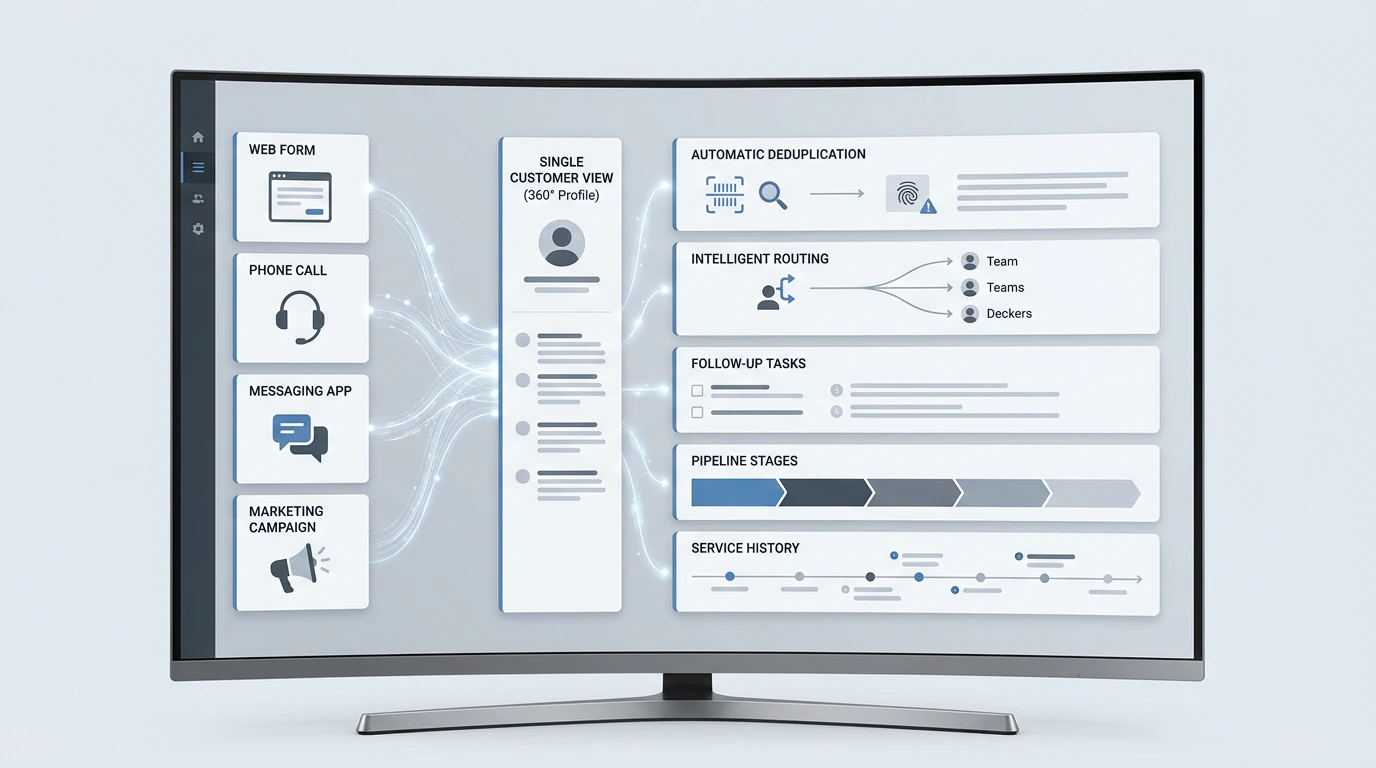
The problem
Where customer journeys break
Symptoms usually appear in sales meetings and customer complaints long before anyone blames the CRM.
- Leads kept in spreadsheets, inboxes and personal phones
- Duplicate customer records with conflicting details
- Sales stages that mean different things to different people
- Follow-ups missed because nothing reminds anyone
- Leads assigned manually, late or unevenly
- No service history when a customer calls
- Marketing and sales disagreeing on what a qualified lead is
- Pipeline reports that nobody trusts
Why it matters
Why it matters
Every lost follow-up is revenue that marketing already paid for. Every duplicate record is a customer who gets the wrong message. A connected customer system turns those leaks into a process that can be measured and improved.
The lasting value comes from agreed definitions: what counts as a lead, an opportunity and a customer, who owns each stage, and which data must exist before a record moves forward. The platform enforces those rules; it cannot invent them.
The customer journey
What happens from the first enquiry to an ongoing relationship?
Each stage has an owner, required data and a trigger to move forward. That is what the CRM is configured to support.
01Enquiry
02Qualification
03Assignment
04Opportunity
05Proposal
06Sale
07Onboarding
08Service
09Retention
10Reactivation
Capabilities
What Orivion can deliver.
The customer journey from first enquiry to retention, connected in one system.
CRM platforms
- Salesforce
- HubSpot
- Zoho
- Odoo
- Custom CRM
Sales operations
- Lead and opportunity stages
- Pipelines
- Routing and assignment
- Lead scoring
- Forecasting
- CRM dashboards
Revenue operations
- Lifecycle architecture
- Marketing-to-sales handoff
- Data ownership
- Conversion definitions
- Automation
Lead operations
- Capture from web, ads and events
- Enrichment
- Qualification
- Outbound workflows
- Follow-up sequences
Customer service
- Ticketing and helpdesk
- SLAs and escalation
- Knowledge base
- Live chat and chatbots
- Customer portals
- Feedback and surveys
Integration and migration
- Website and forms
- Email, WhatsApp and telephony
- Accounting and ERP
- Data migration and deduplication
Use cases
What clients hire this for.
Representative problems this service is used to solve.
Every enquiry reaches the right person
Capture enquiries from web, WhatsApp and campaigns into one queue, route them by service and region, and alert the owner with context.
A pipeline the business trusts
Define stages with entry criteria, required fields and probabilities, so forecasts reflect reality.
Marketing and sales agree on quality
Set lifecycle stages and a handoff definition, then report conversion from source to revenue.
Onboarding without dropped balls
Trigger onboarding tasks, documents and welcome communications when a deal closes.
Service with full history
Give support teams the customer's purchases, conversations and open issues in one view.
Migration from a spreadsheet or old CRM
Clean, deduplicate and migrate records with history, then retire the old system safely.
Methodology
How a CRM programme runs
Platform configuration comes after process design, and adoption is treated as part of delivery.
01
Customer journey
Map the journey from enquiry to reactivation with the teams involved.
02
Process map
Stages, owners, entry and exit criteria, and hand-offs.
03
Data model
Objects, fields, relationships and required data at each stage.
04
Platform selection
Compare options on fit, integration, licensing and total cost.
05
Configuration
Pipelines, views, permissions, layouts and validation.
06
Integrations
Website, email, messaging, telephony, accounting and product data.
07
Automation
Routing, reminders, sequences and notifications.
08
Migration
Cleanse, deduplicate and import historical data.
09
User acceptance testing
Real scenarios tested by the people who will use it.
10
Launch
Go-live with training and support close at hand.
11
Adoption and optimisation
Usage reviews, reporting and continuous improvement.
Deliverables
What you receive.
The exact set depends on scope. These are typical for an engagement of this kind.
- Customer journey and process maps
- Lifecycle and stage definitions
- CRM data model
- Configured CRM with permissions and views
- Integrations and automations
- Migrated, deduplicated data
- Dashboards for pipeline, conversion and service
- User guides and administrator documentation
- Training sessions and adoption plan
Technology
Platforms chosen for the problem.
Platform choice depends on process complexity, existing tools, budget and in-house skills.
CRM
- Salesforce
- HubSpot
- Zoho CRM
- Odoo
- Custom
Service
- Zendesk
- Freshdesk
- HubSpot Service Hub
- Salesforce Service Cloud
Channels
- WhatsApp Business Platform
- Telephony
- Web chat
Integration
- Native connectors
- APIs
- n8n
- Make
- Zapier
Security and governance
Customer data handled properly
A CRM holds personal data, so structure and access are part of the design.
Consent and preferences
Marketing consent recorded and respected across channels.
Role-based access
Teams see the records and fields appropriate to their role.
Data quality rules
Required fields, validation and duplicate checks at entry.
Retention
Retention and deletion handled according to your policy and applicable law.
Engagement models
How this is usually delivered.
Implementations run as managed projects in phases, usually starting with sales. Ongoing administration and optimisation can continue under a support plan or with a dedicated specialist. Available white-label.
Proof
How we would approach it.
Capability demonstrations show how Orivion would approach a problem. They are not client projects and carry no client results.
Related capabilities
Services that usually connect to this one.
- RunAI & AutomationWorkflow automation, document processing, AI assistants and agents, with controls built in.
- RunData & Business IntelligenceData pipelines, trusted metrics, dashboards and analytics the whole business can rely on.
- GrowDigital Marketing & GrowthSearch, paid media, lifecycle and conversion, measured against customer value.
- BuildWeb, Apps & Digital ProductsWebsites, portals, web and mobile applications built to perform after launch.
FAQ
Questions buyers ask
What does a CRM implementation need beyond software setup?
A working implementation needs agreed lifecycle stages, record ownership, a migration and duplicate-handling plan, source capture, integrations, permissions and role-based training. We define acceptance around the customer journey and team adoption, rather than counting configured screens.
Which CRM should we choose?
The one that fits your process, integrations, budget and team. HubSpot is often quickest for marketing-led growth, Salesforce suits complex sales and service at scale, Zoho and Odoo are cost-effective with broad suites. We compare them against your requirements before recommending one.
We already have a CRM that nobody uses. What now?
Usually the problem is process and definitions rather than the platform. We review how it is configured against how the team actually works, then simplify, retrain and automate before considering a migration.
Can you migrate our data from spreadsheets or another CRM?
Yes. We cleanse, deduplicate and map the data, migrate history where it is useful, and reconcile the result before switching over.
Can the CRM connect to WhatsApp?
Yes, through the WhatsApp Business Platform and CRM integrations, with conversations logged against the customer record and consent handled properly.
How do you make sure the team actually uses it?
By designing it around their work, involving them in testing, removing duplicate data entry through automation, and training by role. Adoption is reviewed after launch.
Losing leads between systems? Let us map your customer journey together.